Your runs.
Beautifully yours.

Every run from Apple Health.
Private, on your iPhone, free.

Download on theApp Store

Native iOS · No account · No subscription

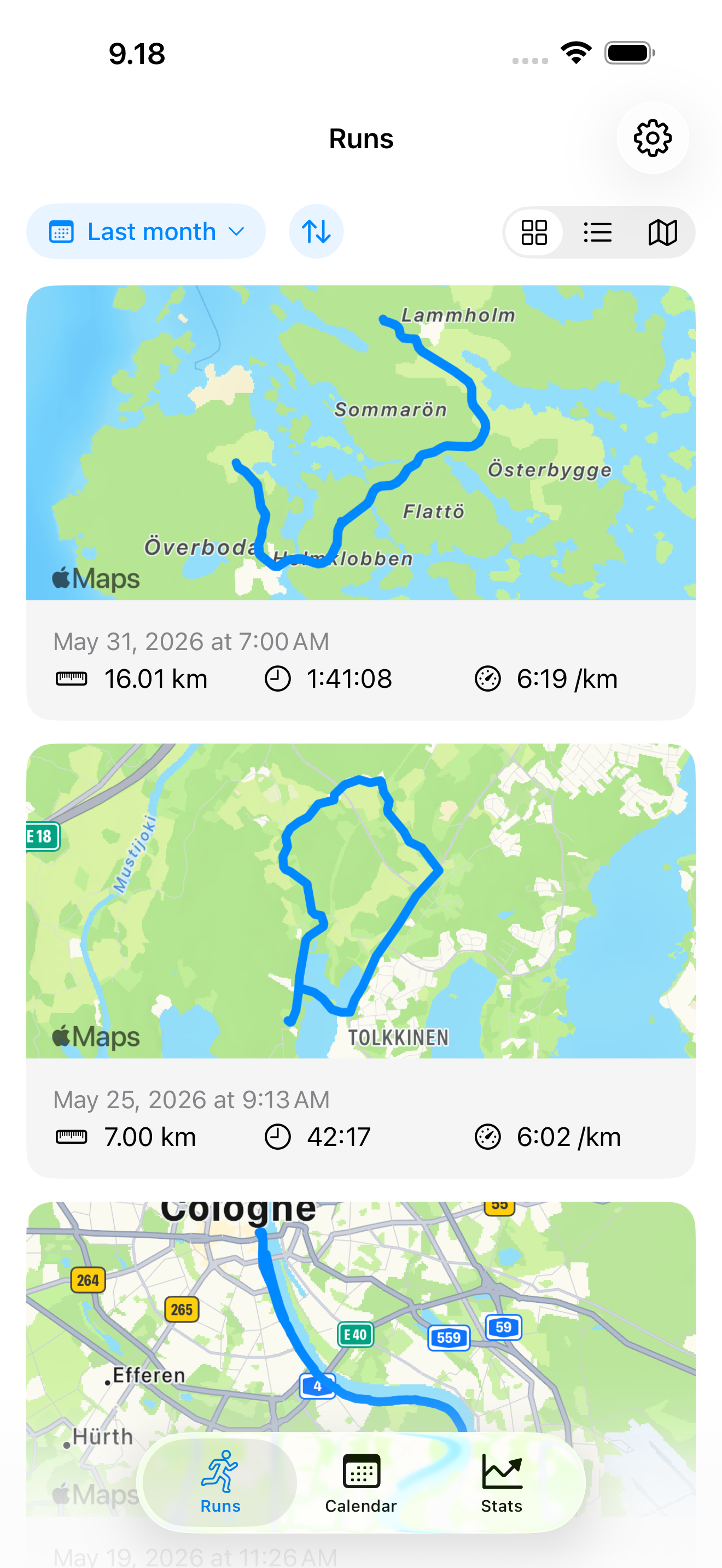
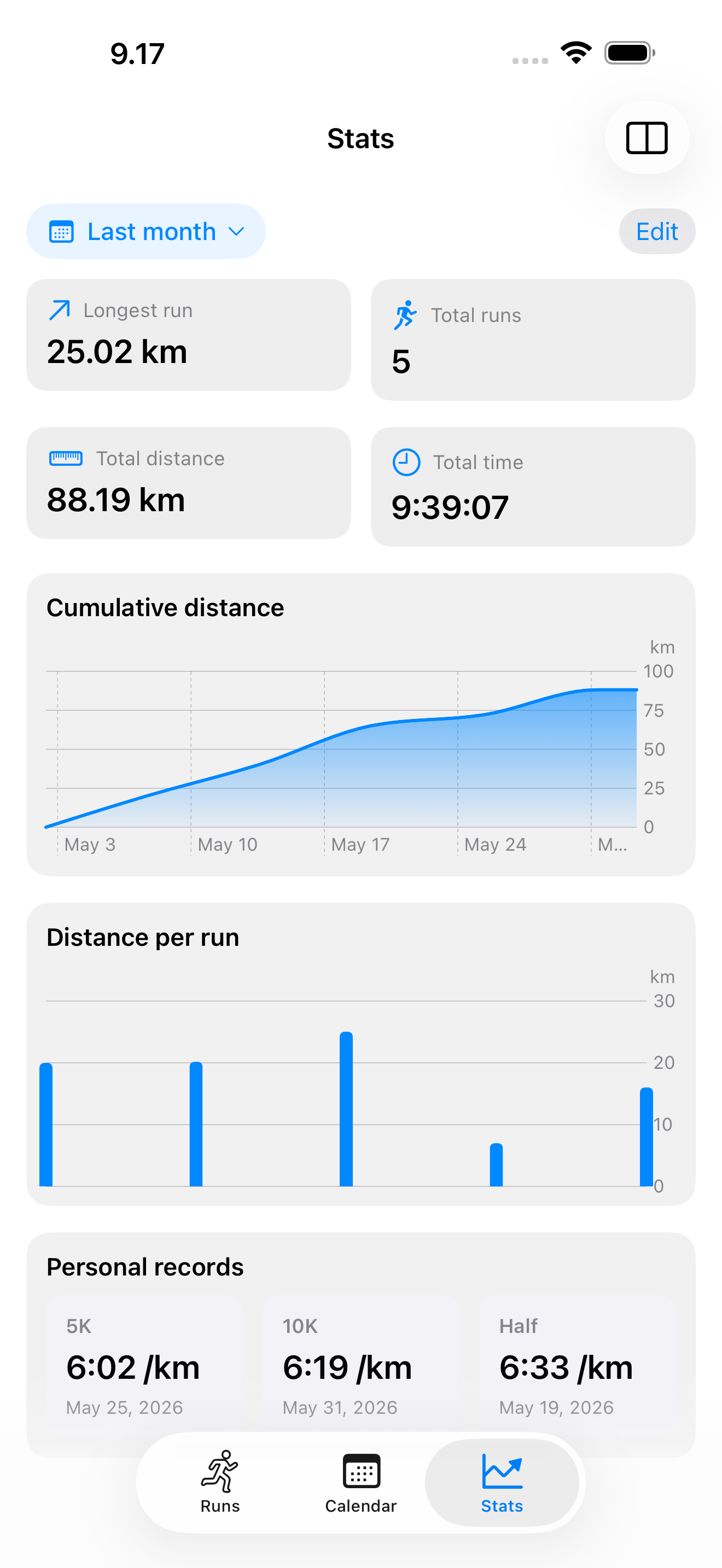
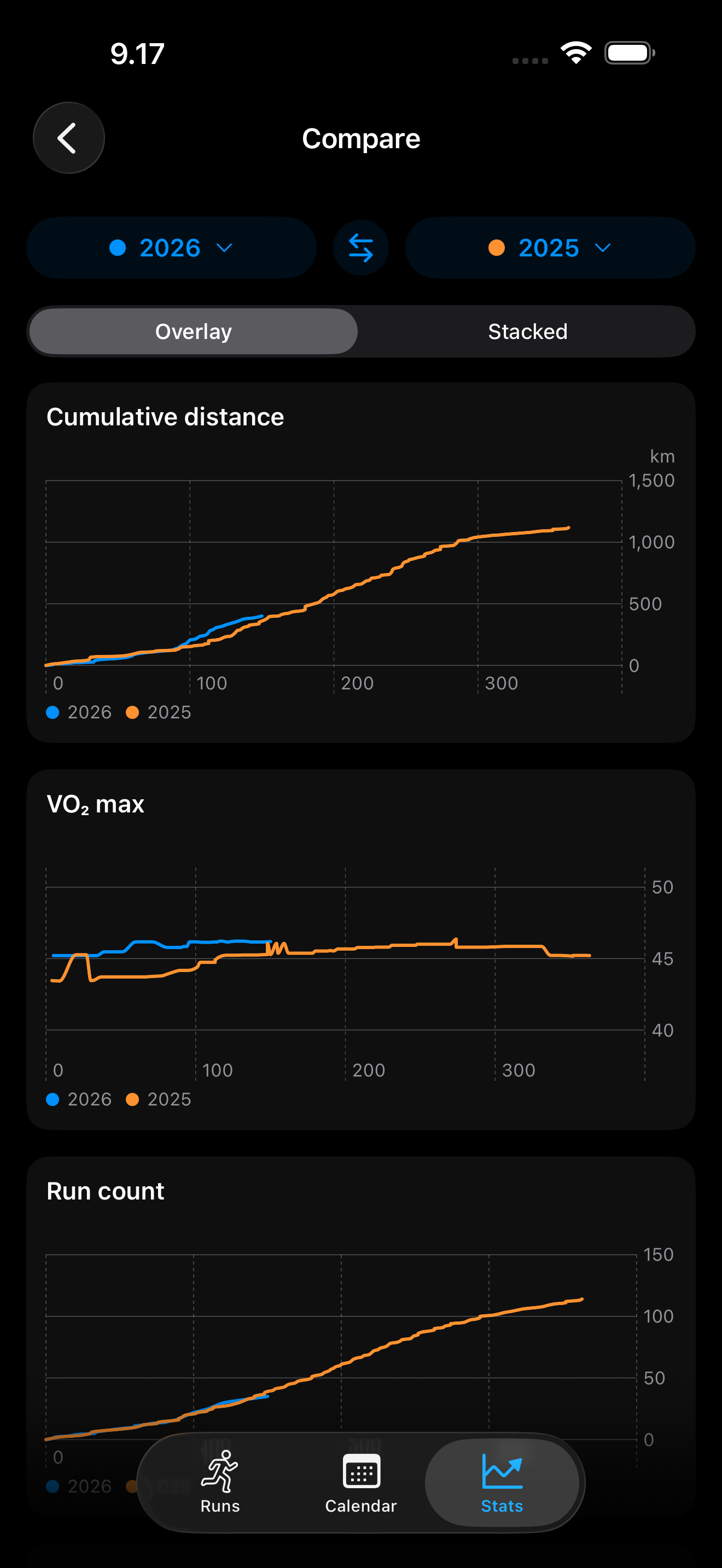
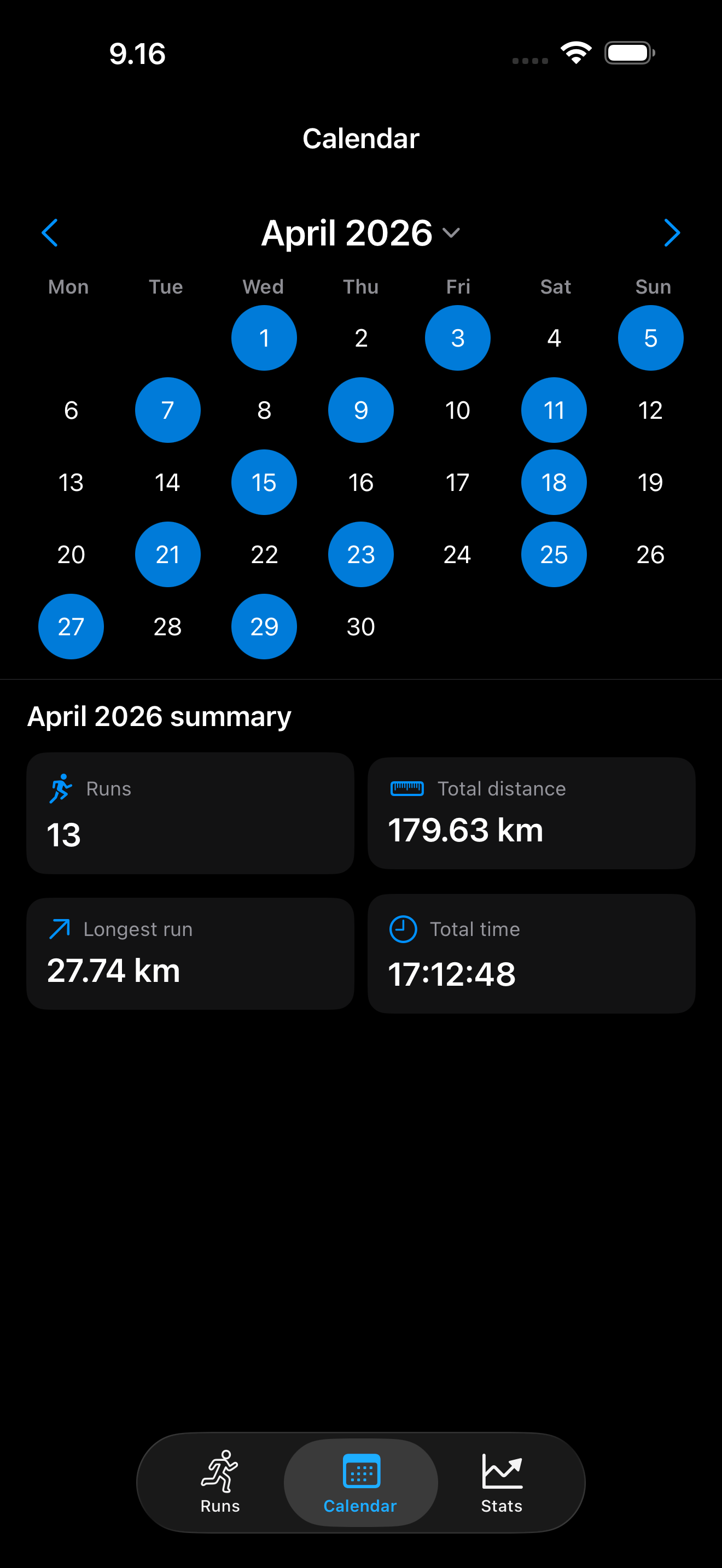
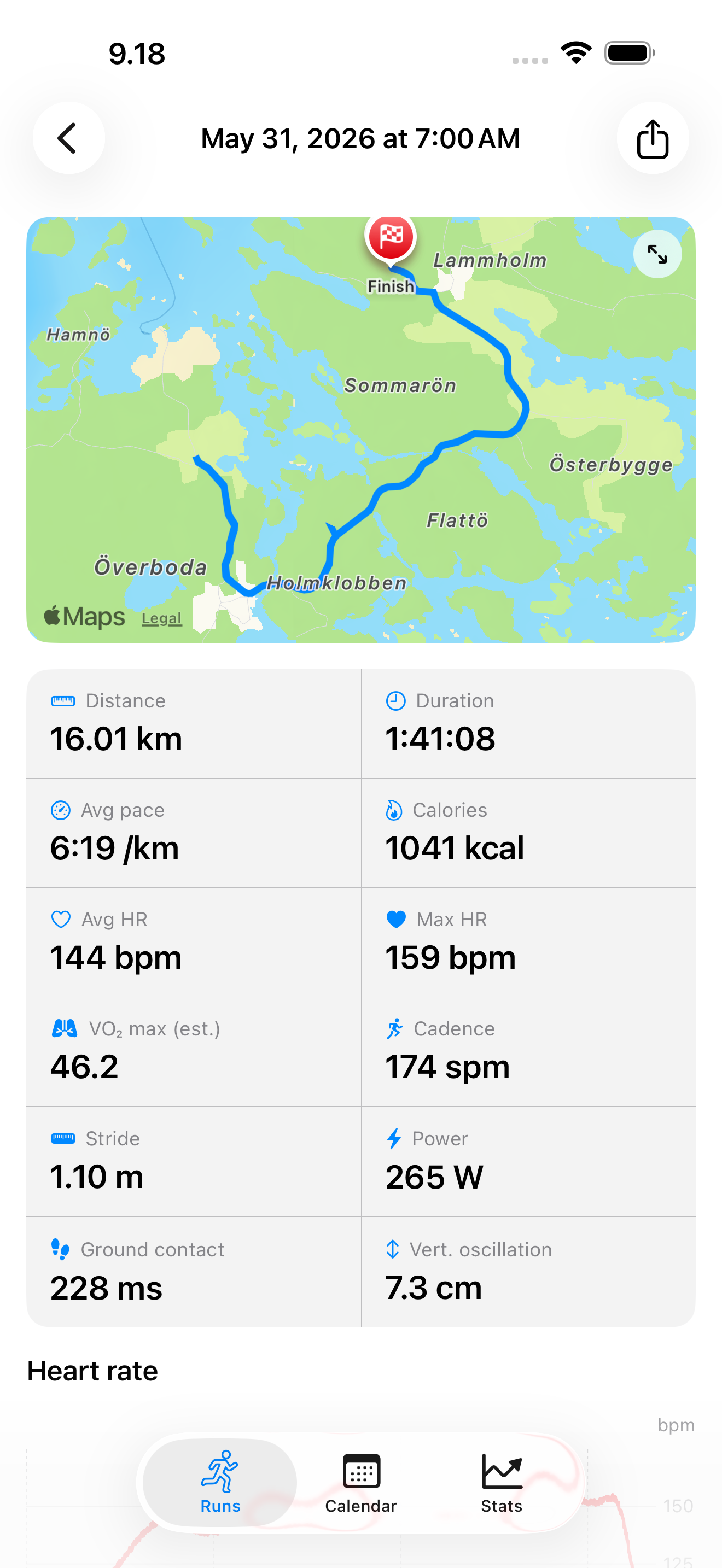
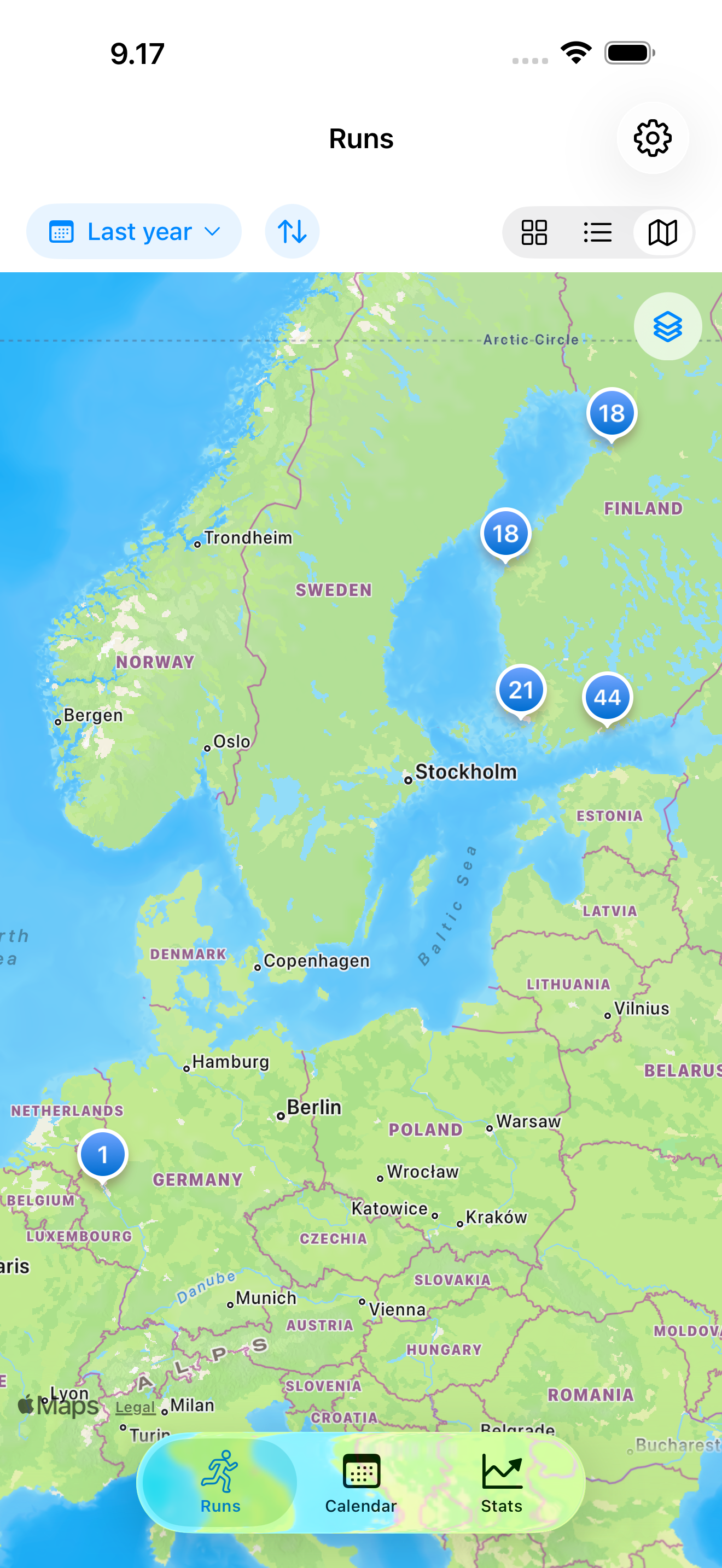
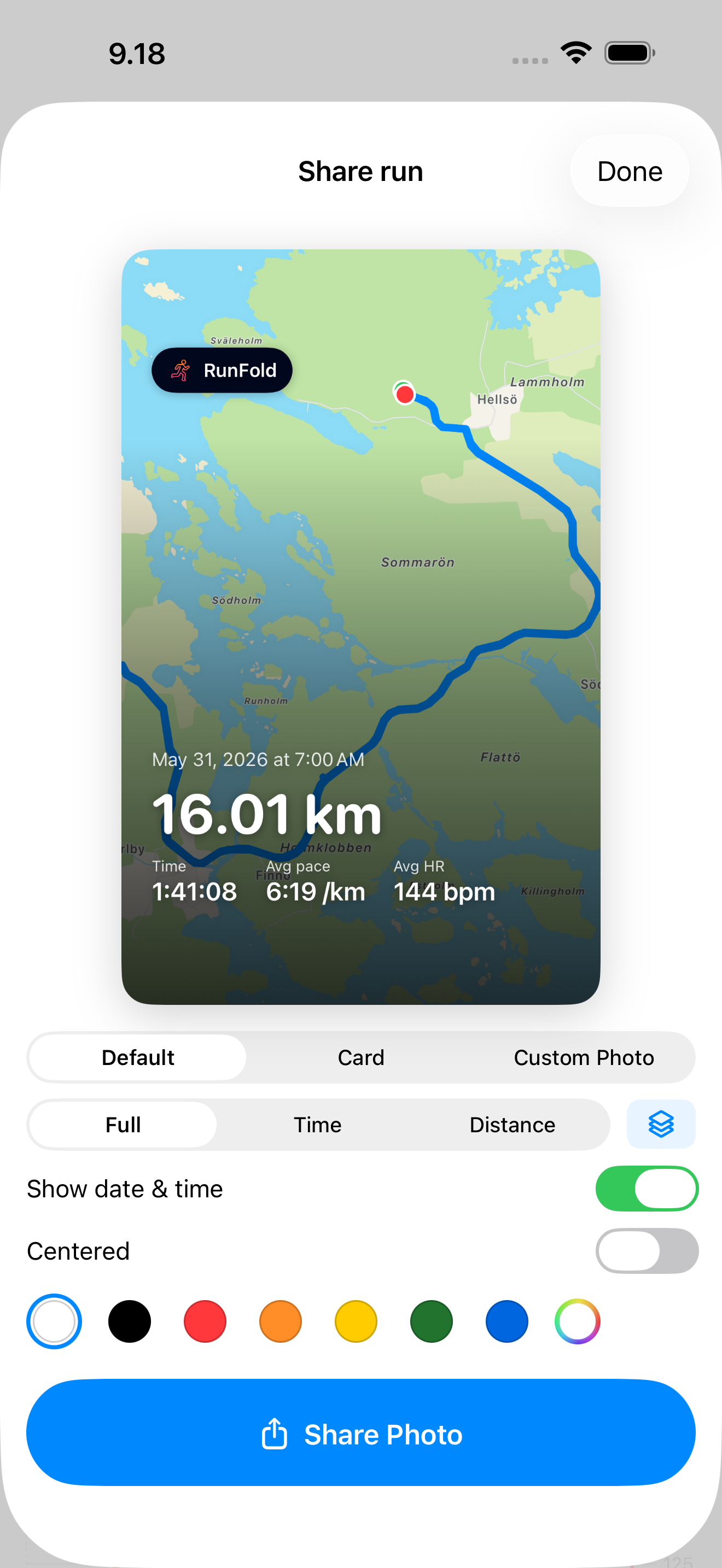
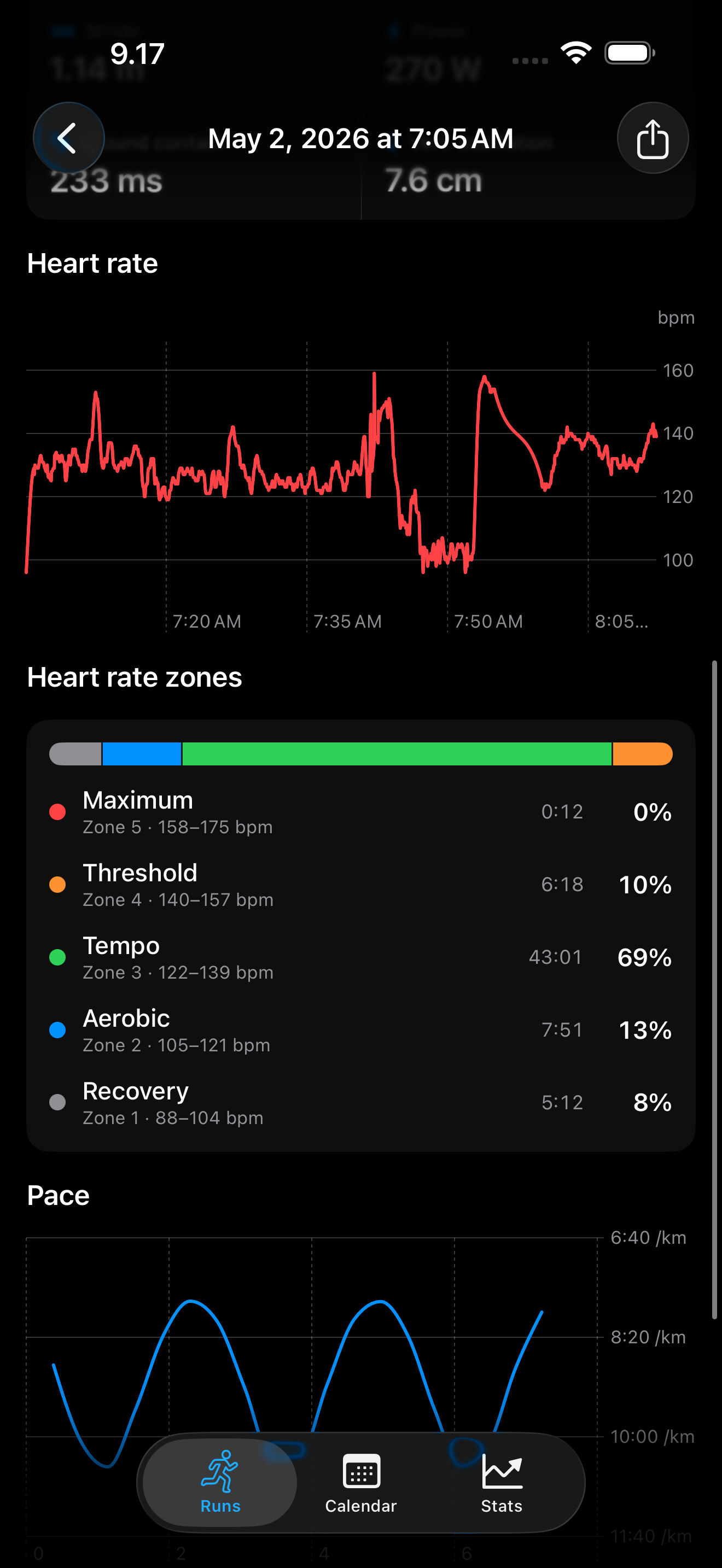
Your runs as cards, each with its route A customizable stats dashboard with trend charts Two periods compared side by side A calendar of a month of runs in dark mode A run with route, pace, heart rate and watch metrics Every run on a map of where you've run Sharing a run as a styled image A run detail in dark mode with heart-rate zones

I'm an avid runner, and for years I used the free running apps. They all did the same thing eventually. A feature you relied on would suddenly be "premium." Then another. The free app slowly turned into a paywall, with a few scraps left outside it.

So I built RunFold. It reads your runs from Apple Health and just shows them to you. Your routes on a map, your pace, your heart rate, how you're doing over weeks and months. No account, no subscription, nothing leaves your iPhone.

If you wear an Apple Watch, all of this is already being recorded. You've got the data. You just don't have a place to look at it without being sold something.

Why RunFold

Three reasons to use it.

1

A full running app you help shape

Routes, splits, trends, a calendar, a map of everywhere you've run, side-by-side comparison of any two periods, heart-rate zones, the works. And it keeps growing: request a feature and it goes on the list, so you have a real say in where RunFold heads next.

2

Free, and yours alone

No subscription, no account. Your runs are read from Apple Health and stay on your iPhone, stored locally. Nothing is uploaded and nothing is sold, because there's no server to send it to.

3

Native iOS, light and fast

Built in SwiftUI for iPhone, not a web page in a wrapper. It's small, quick, and works exactly the way an iOS app should.

What's not inside

No subscription. No ads. No feed. No login.

And no quietly-added paywall later, either. That's the whole point.

On privacy

It can't leak your data,
because it never has it.

RunFold has no backend. It reads your workouts from Apple Health and that's it. Nothing is uploaded, nothing is sold. Turn the permission off whenever you want.

Release notes

Built from how I actually use it.

Version 1.9Latest

New

  • iPhone Duo support. Unfold it to see your runs and the one you picked side by side, with two months of calendar at once.
Version 1.8 Week numbers and week start. ›

New

  • Week numbers in the calendar. Tap one to see that week's summary.
  • Monday or Sunday. Choose which day your week starts on. It also applies to weekly stats.
Version 1.7 Default shoes. ›

New

  • Default shoes. Pick a pair and every new run gets it automatically. You can still change it on any run.
See older releases
Version 1.6 Miles, and shoes on many runs at once. ›

New

  • Miles or kilometers. Pace, elevation and charts follow along. Turn on "Show both units" to see a 5K as 5.00 km and 3.11 mi.
  • Assign shoes in bulk. Open a pair and check every run you wore it on.
Version 1.5 Filter runs by distance. ›

New

  • Filter by distance. Show only the runs you care about: 5 km+, 10 km+, half marathon, marathon, or a range you set yourself. It works with any timeframe, and your choice is still there next time you open the app.
Version 1.4 Body weight on every run. ›

New

  • Weight on every run. Switch on weight import and RunFold matches each run to your nearest weigh-in in Apple Health, right back through your whole history. Opt in, off by default.
  • In your exports. Weight travels with your exported run data, so an AI looking at your training can factor it in.
  • Two new charts. Weight over time, and weight against the kilometers you've run.
  • A kg / lb setting. Defaults to your region.

Improved

  • Swipe anywhere on the calendar to move between months.
  • A new run waits for its route. Opening a just-recorded run no longer shows "No route data" while your watch is still syncing the GPS track.
Version 1.3 Shoes, reminders, iCloud sync, export. ›

New

  • Shoes and gear. Track the shoes you ran in, see the mileage on each pair, and get a nudge when one is due for replacement. Add your own fields too: notes, effort, surface, tags.
  • Run reminders. Get a notification when a new run shows up in Apple Health, so you can add your shoes and notes while it's fresh. Opt in, off by default.
  • iCloud sync. Your shoes, custom fields, and run notes sync across your devices through your private iCloud. Turn it off anytime.
  • Export for AI. Export one run in full, or a whole timeframe as summaries, as clean data to hand to an AI for analysis. Splits, heart-rate zones, metrics, and your own notes.
  • Weather. See the temperature, humidity, and conditions for each run, right on its map.

Improved

  • UI refinements throughout the app.
Version 1.2 Cards, maps, Compare, sharing. ›

New

  • Run cards. The Runs tab opens on a fresh card view, each run a card with its route map. Switch to a compact list or the new map anytime.
  • Runs on a map. A new map view shows everywhere you've run.
  • Compare. Put any two periods side by side, day by day. Cumulative distance, VO₂ max, run count, and your best 5K, 10K, half and marathon.
  • Custom share images. Turn a run into an image you can style. Pick a layout, text color, map style, or drop your own photo behind the route.
  • Cardio fitness. A steadier VO₂ max from your best recent runs, next to the per-run estimate. Add your resting heart rate for a sharper number.

Improved

  • Map styles. Standard, satellite, or hybrid, on the full-screen map and in shared images.
  • Clearer charts over long spans. Distance and trend charts bucket by week, month, or year so they stay readable.
  • Snappier Stats. Switching timeframes stays smooth, even with hundreds of runs.
Version 1.1 Custom Stats and HR zones. ›

New

  • Customizable Stats dashboard. Make the Stats tab yours. Add, remove and drag to reorder widgets.
  • Heart-rate training zones. See how long each run spent in each of five zones. Your max heart rate is estimated from your age, or set it manually.

Improved

  • Full-screen maps. Tap any route to open an interactive, full-screen map.
  • Calendar navigation. Swipe between months, or jump straight to any month.
  • Haptics. Subtle taps for reordering, selecting days, and other actions, with Off, Minimal, and Full levels in Settings.
  • Readable heart-rate charts. They now zoom to your actual range instead of starting at zero, so trends are far easier to see.
  • Refined visuals throughout the app.
Version 1.0 The first release. ›
  • RunFold arrives. Your running workouts from Apple Health, as a clean list, route maps, and per-run stats.
  • Distance, time, pace, calories and heart rate for every run.
  • A calendar of your running year, plus trend charts over any timeframe.
  • Free and private. No account, no subscription, nothing leaves your iPhone.
  • 15 languages, with light and dark themes.

Built with you

Your requests are the roadmap.

I still use RunFold every day, and I'm still adding to it. If something's missing, email me. A runner asking for a feature is pretty much the whole plan.

Email runfold@turbolynx.com